
Professional Schematics Platform
TurboSchematics
Biggest Mobile Phone Schematics and Bitmap Database for board repair technicians.
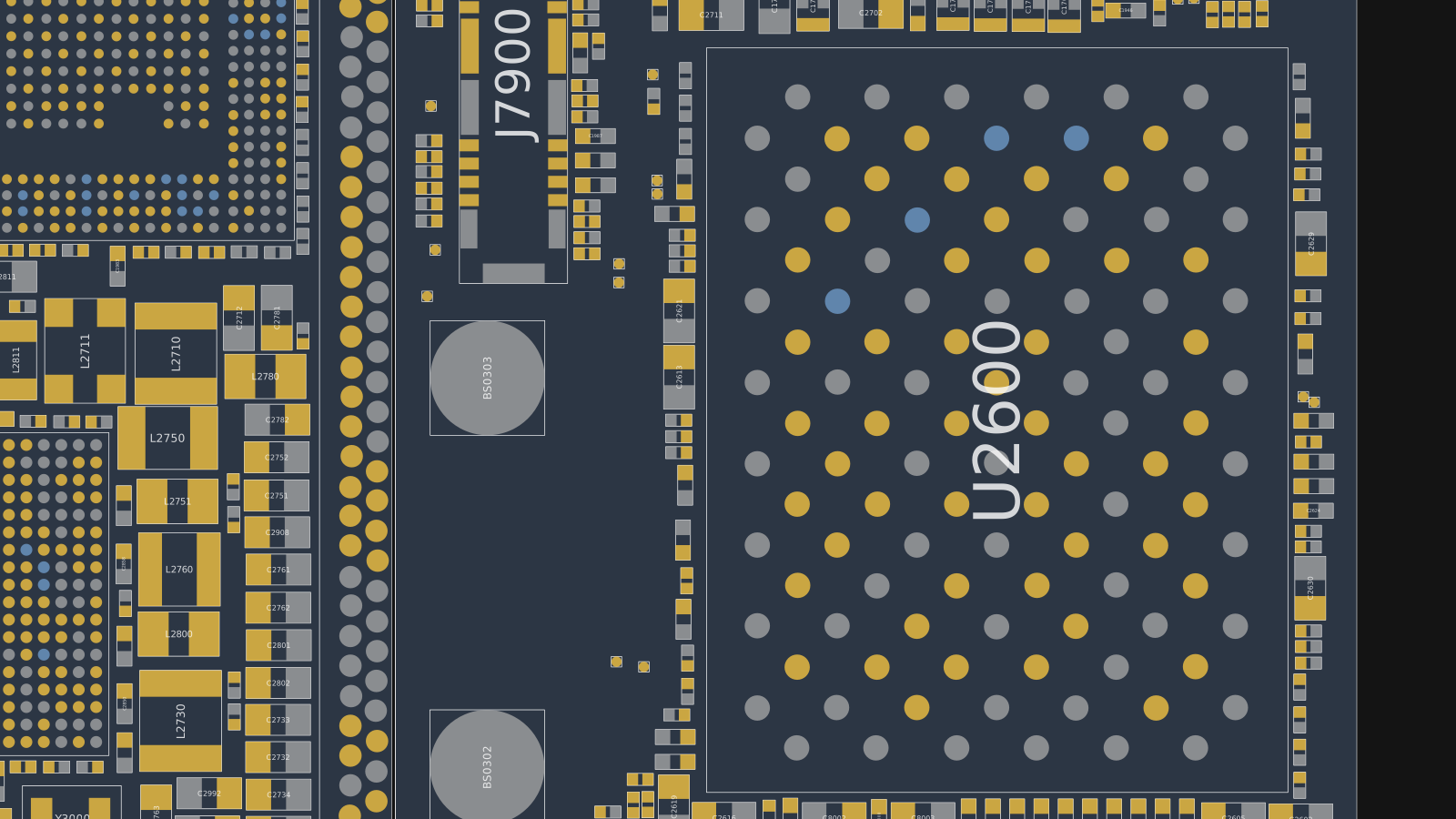
MultiLayer Bitmap
Schematics
Hardware Solutions
Panic Log Analyzer
Part Query
Biggest Mobile Phone Schematics and Bitmap Database
Repair modules
Everything a schematics platform needs on the repair bench
Repair sections
Hardware Solutions
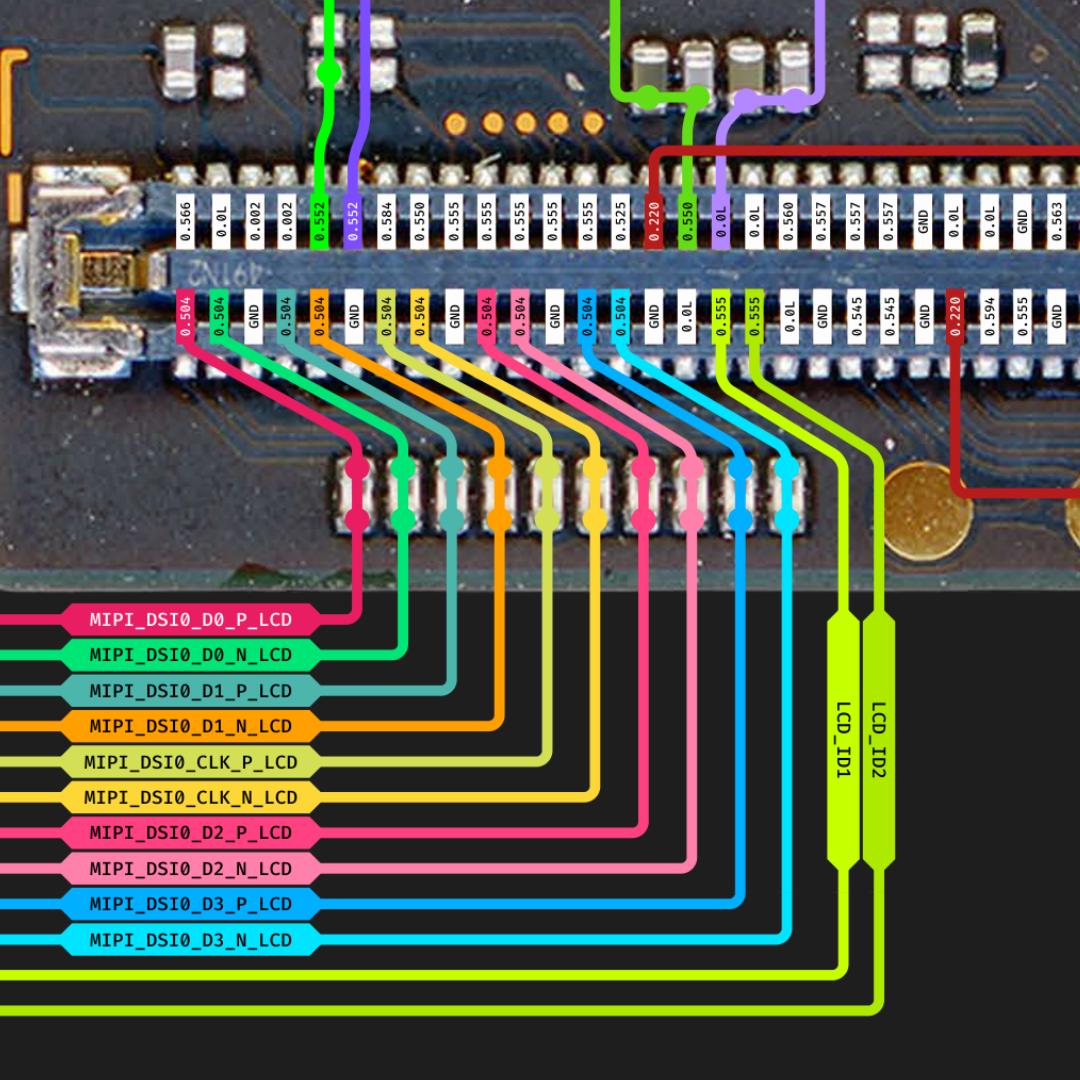
Structured references for charging, LCD, cameras, audio, touch, SIM, network, Wi-Fi, Bluetooth, and GPS repair areas.
Core database
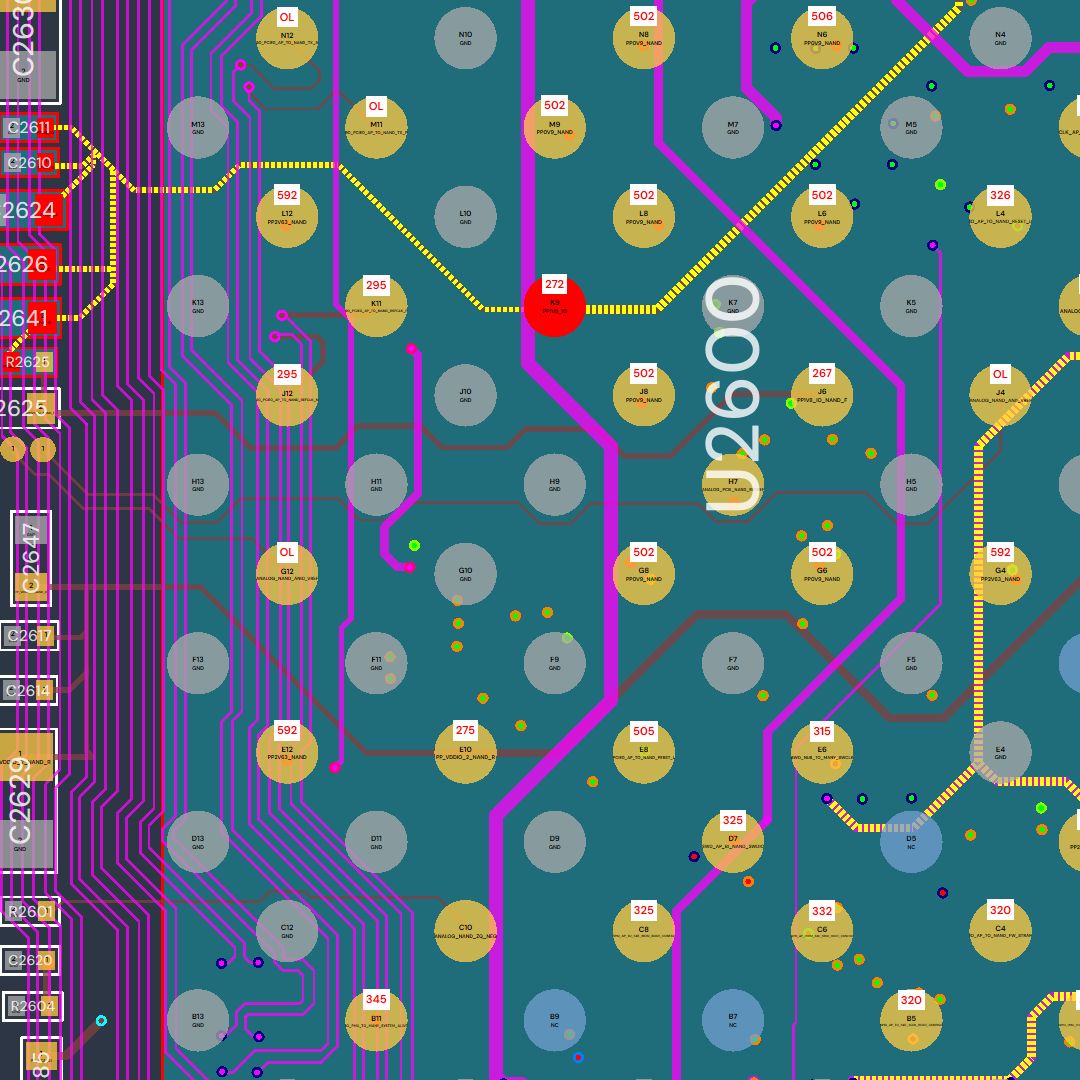
MultiLayer Bitmap
Inspect layers, compare sections, and move through dense phone boards quickly with bitmap-first board data.
PDF and board data
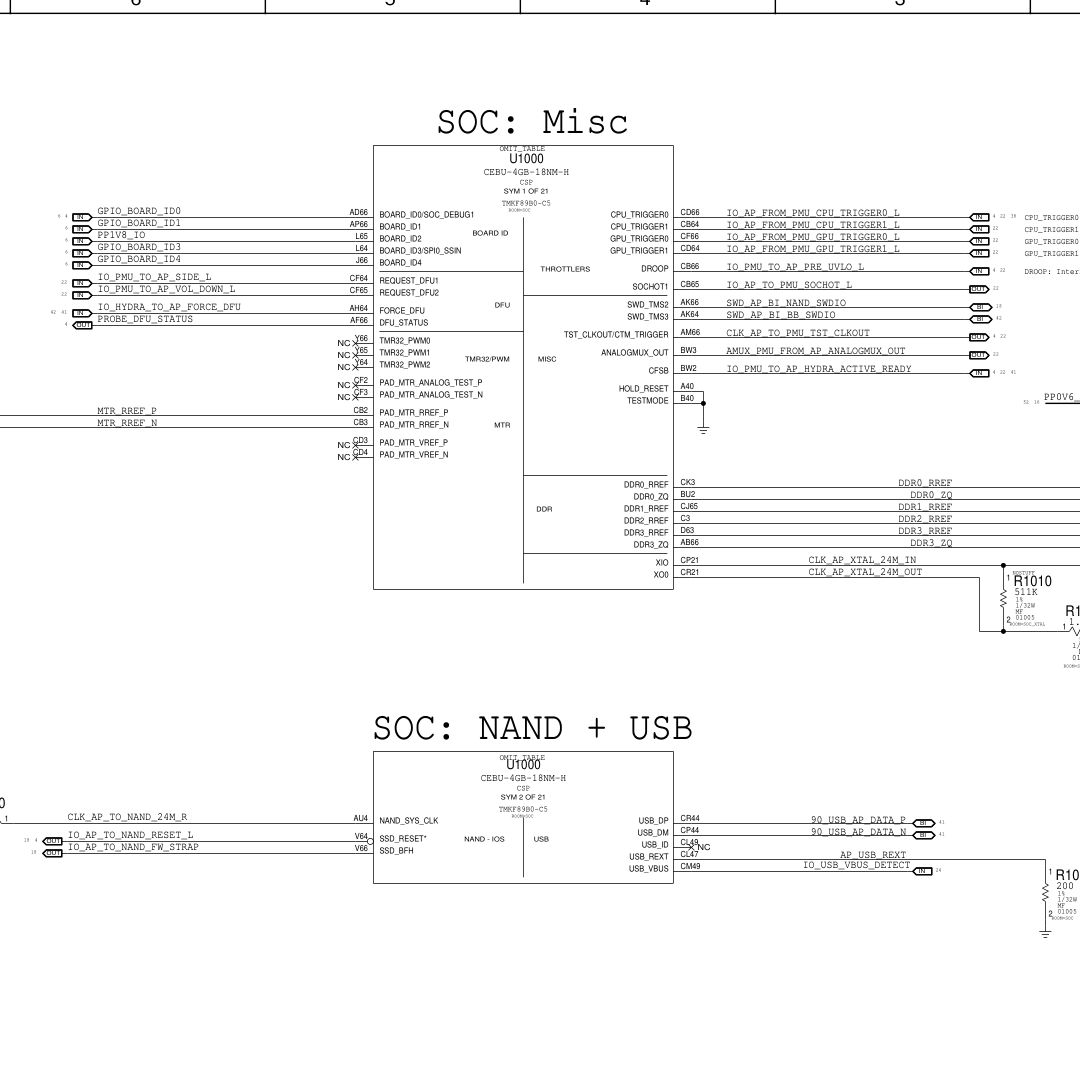
Schematics
Find circuit diagrams, layout references, and device-specific schematic material without jumping between scattered archives.
Fast search
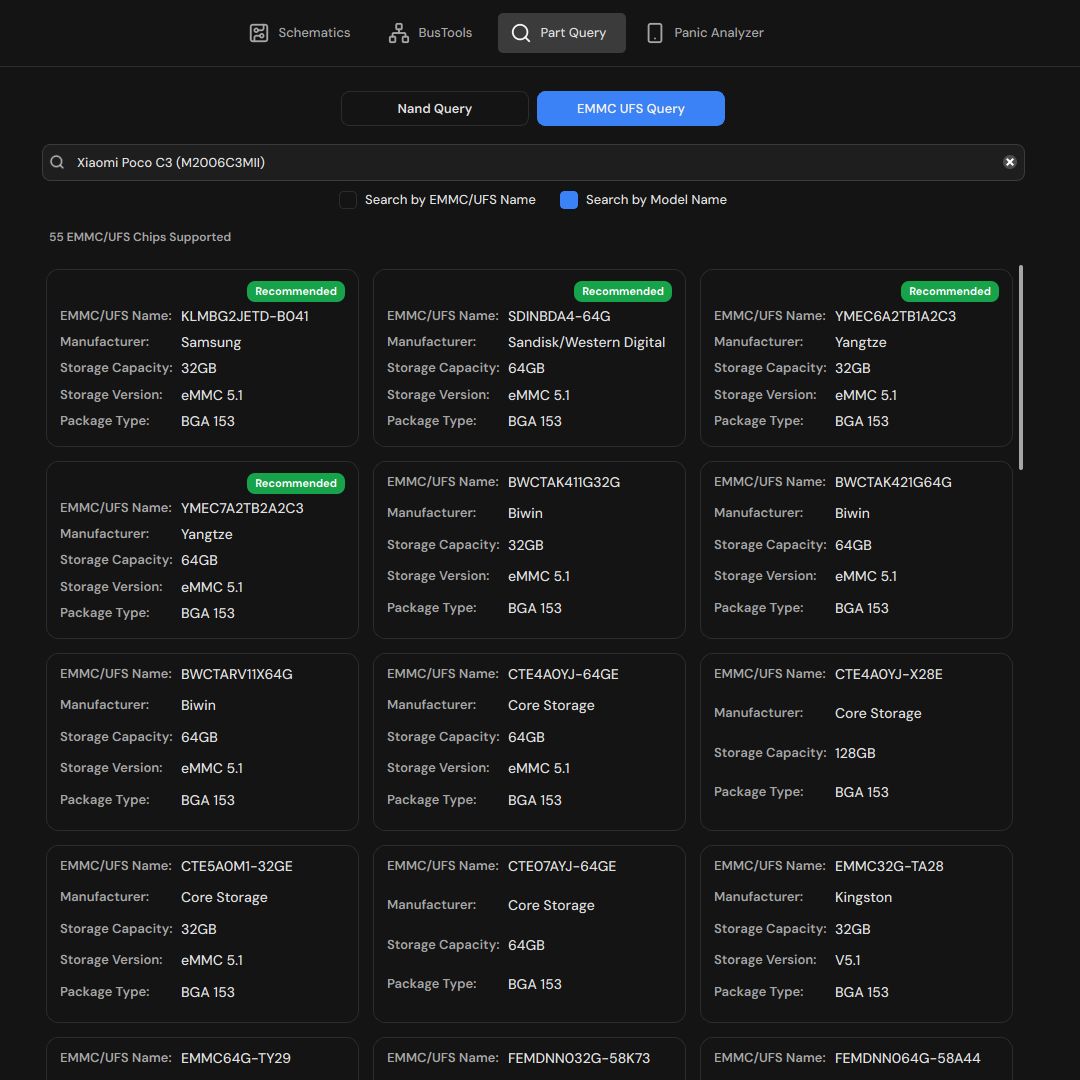
Part Query
Search by phone, iPad, Android model, NAND, eMMC, UFS, or part name using a database built for repair benches.
Diagnosis
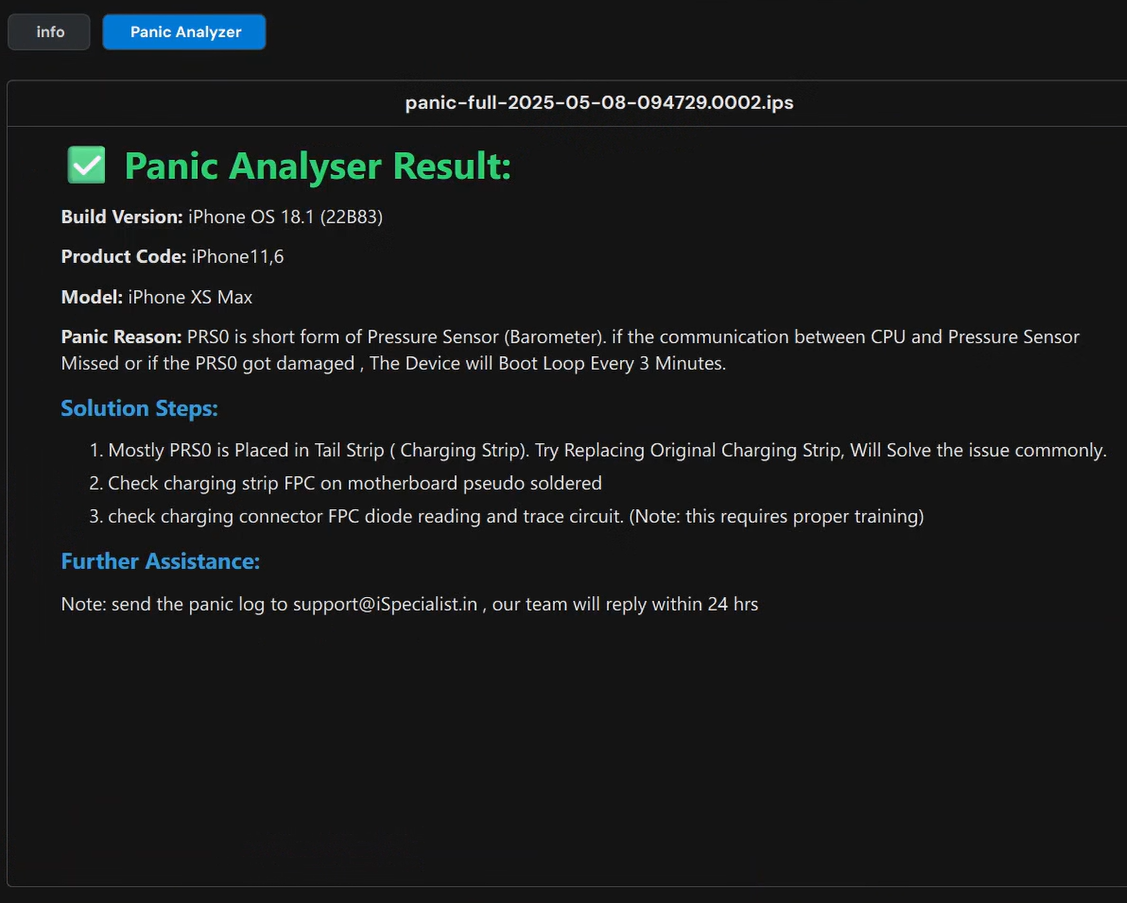
Panic Log Analyzer
Turn panic keywords and model context into practical causes, common solutions, and rare repair paths.
Signal analysis
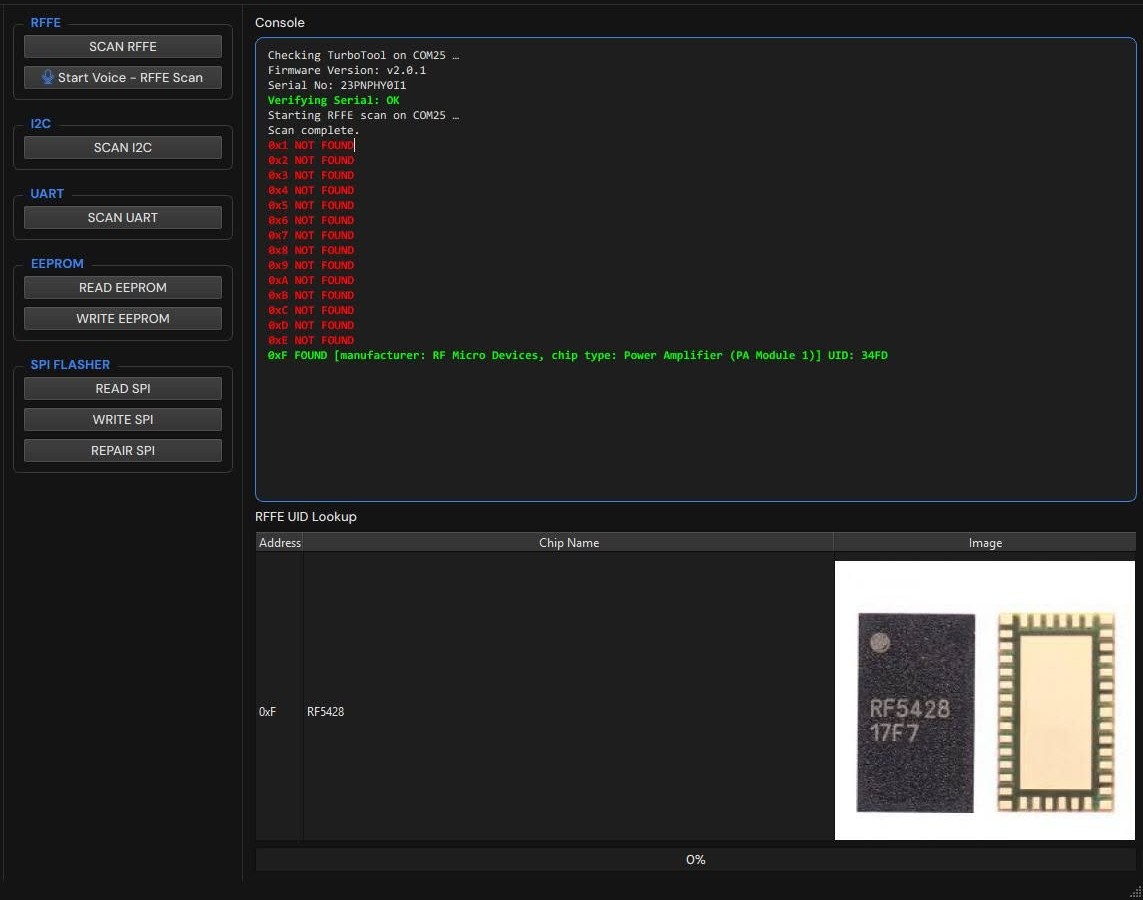
Protocol Analyzer
Analyze protocol-level repair clues and communication behavior while staying inside the same technician workflow.
Buy activation key
Trusted Resellers

SSS GSM
Authorised Distributor
India

AppleFix Solutions
Authorised Distributor
Sri Lanka

Express Unlocking
Authorised Distributor
India

UnlockerBD
Authorised Distributor
Bangladesh

HalabTech
Authorised Distributor
WorldWide

ADY Unlocker
Authorised Distributor
WorldWide

SHUNLOCK
Authorised Reseller
India

Gsm Source
Authorised Reseller
India

GSM Punjab
Authorised Reseller
India

MANITRKUNLOCK
Authorised Reseller
india

GSMQATAR
Authorised Reseller
india

EAZY TOOLS
Authorised Reseller
India

TEAM OXYGEN
Authorised Reseller
India

WASKY MOBILE
Authorised Reseller
Nigeria

ZARINUNLOCKER
Authorised Reseller
Afghanistan
Want to become an official TurboSchematics reseller?
Contact the TurboSchematics team from an official support channel.
Stay safe: only purchase activation keys from the official resellers listed above.
User feedback
What Our Users Say
Get started
How To Get The Tool
Download TurboSchematics
Download the app only from the official TurboSchematics download section.
Create account in the app
Open the desktop app, complete security verification, and finish account setup there.
Buy activation key
Purchase your activation key from the trusted resellers listed on this page.
Activate and start
Enter your activation key in the app, activate it, and start using the database.
Welcome to the TurboSchematics workflow.
Desktop app
Download TurboSchematics
Install the official Windows desktop app and sign in with your TurboSchematics account after activation.
Download for Windows
Official installer for Windows 10 and Windows 11.
System Requirements
Hardware Requirements
| Component | Minimum (Smooth Operation) | Recommended (Best Experience) |
|---|---|---|
| OS | Windows 10 64-bit (Build 19045+) | Windows 11 64-bit |
| Processor | Intel Core i3-3470 / AMD Ryzen 5 1500X | Intel Core i7-10700K / AMD Ryzen 5 3500X |
| Memory | 4 GB RAM | 8 GB RAM |
| Graphics | iGPU 128MB / GTX 750 / RX 480 | GTX 1050 Ti / RX 580 |
| WebView | Microsoft Edge WebView2 Runtime | Microsoft Edge WebView2 Runtime |
Minimum Spec
Ensure the app runs smoothly. Below this, performance may drop. Windows 7, 8, and 8.1 are completely unsupported.
Recommended Spec
Provides the best, smoother, and more comfortable overall user experience when using TurboSchematics.